How to Retouch Maternity Photos Without Making Them Look Fake
What Maternity Skin Retouching Is (And What It Isn't)
Cameras are honest to a fault. They capture every red patch, dress wrinkle, flyaway hair, and skin texture detail that no one noticed during the session. Maternity skin retouching exists to fix that — not to fix the person.
Our goal is simple: soften the distractions so the emotion of the portrait can breathe. Not to turn pregnancy into plastic perfection. Not to make a mother-to-be look like she was rendered by a beauty filter.
Quick answer: The best maternity retouch makes the viewer think "she looks beautiful" — not "someone really found the blur tool."
How Much Retouching Is Too Much for Maternity Photos?
This is the question we hear most from photographers sending us their first maternity session and the answer is easier to show than to describe.
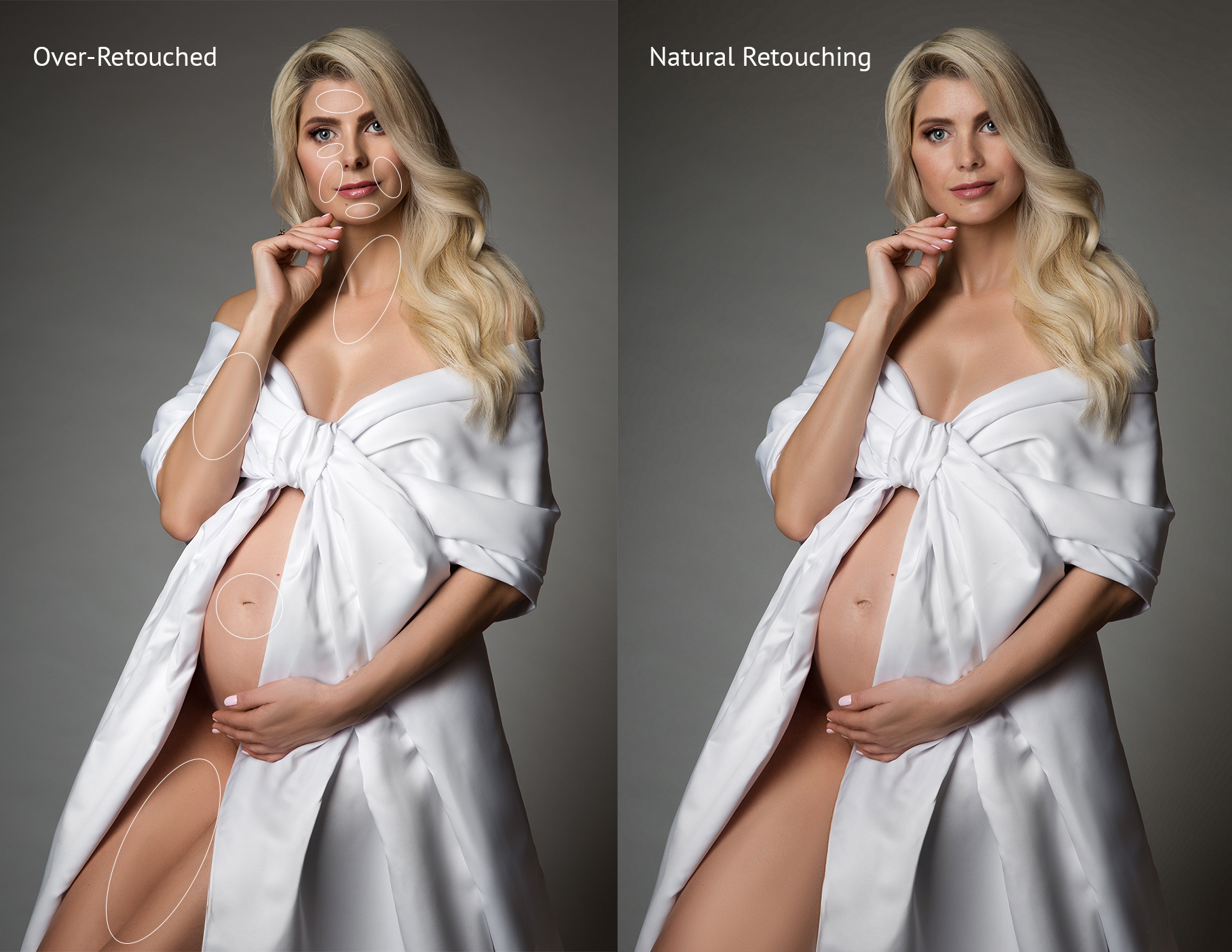
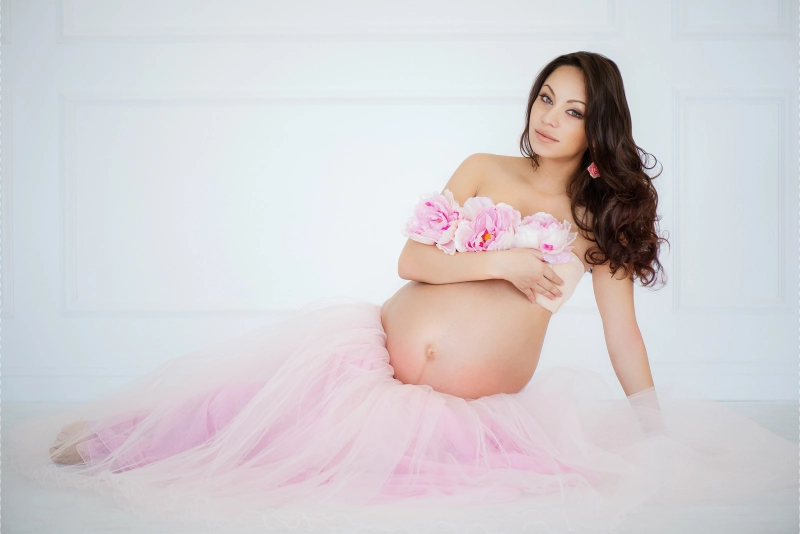
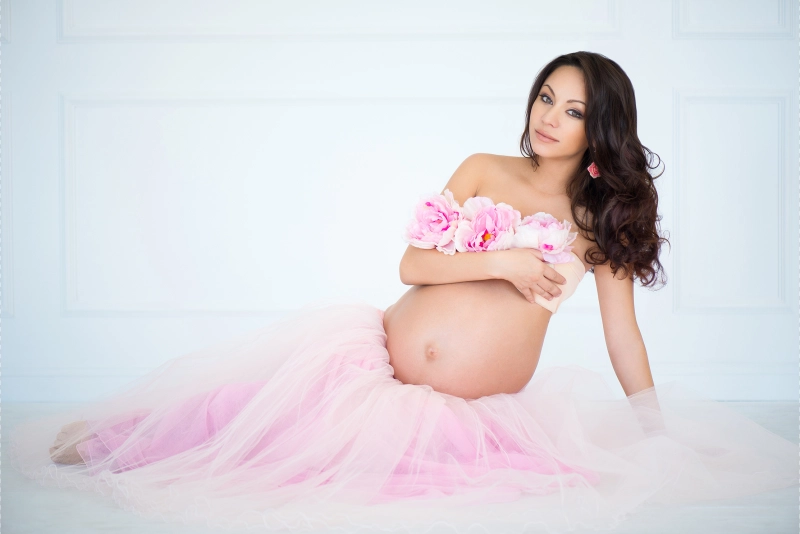
Both images here are from our studio — the over-retouched version on the left shows a mistake we see regularly in files that come to us for correction, and the natural version on the right shows how we'd approach the same portrait.
Look at the circled areas in the left image. The forehead has lost all texture — it reads as smooth rubber rather than skin. The neckline has been narrowed. The belly has been reshaped. Each individual change might seem small, but together they quietly move the image away from the person who actually stood in that session.
Now look at the right. Same lighting, same pose, same woman — just without the distractions. That's what retouching should do. A good maternity retouch should whisper, not shout.
A helpful rule: temporary distractions can be softened. Personal features should be preserved.
A blemish that appeared the morning of the shoot, patchy redness, a fabric mark, a distracting shadow — when we see these in a file, we know they can go. They weren't part of the person who walked into that session. Freckles, natural skin texture, the real shape of the body — these we leave alone. They're not problems. They're the portrait.
What Natural Maternity Retouching Actually Includes
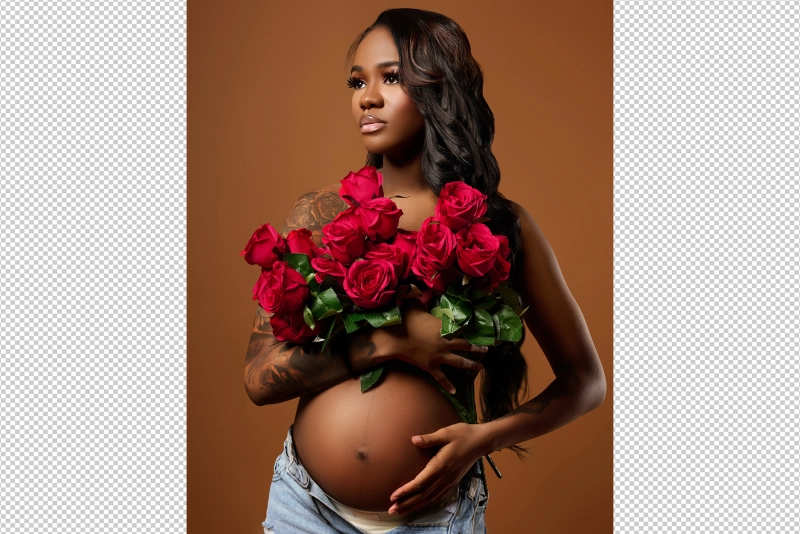
The image below came through our studio. Here's what we did, and just as importantly, what we didn't touch.
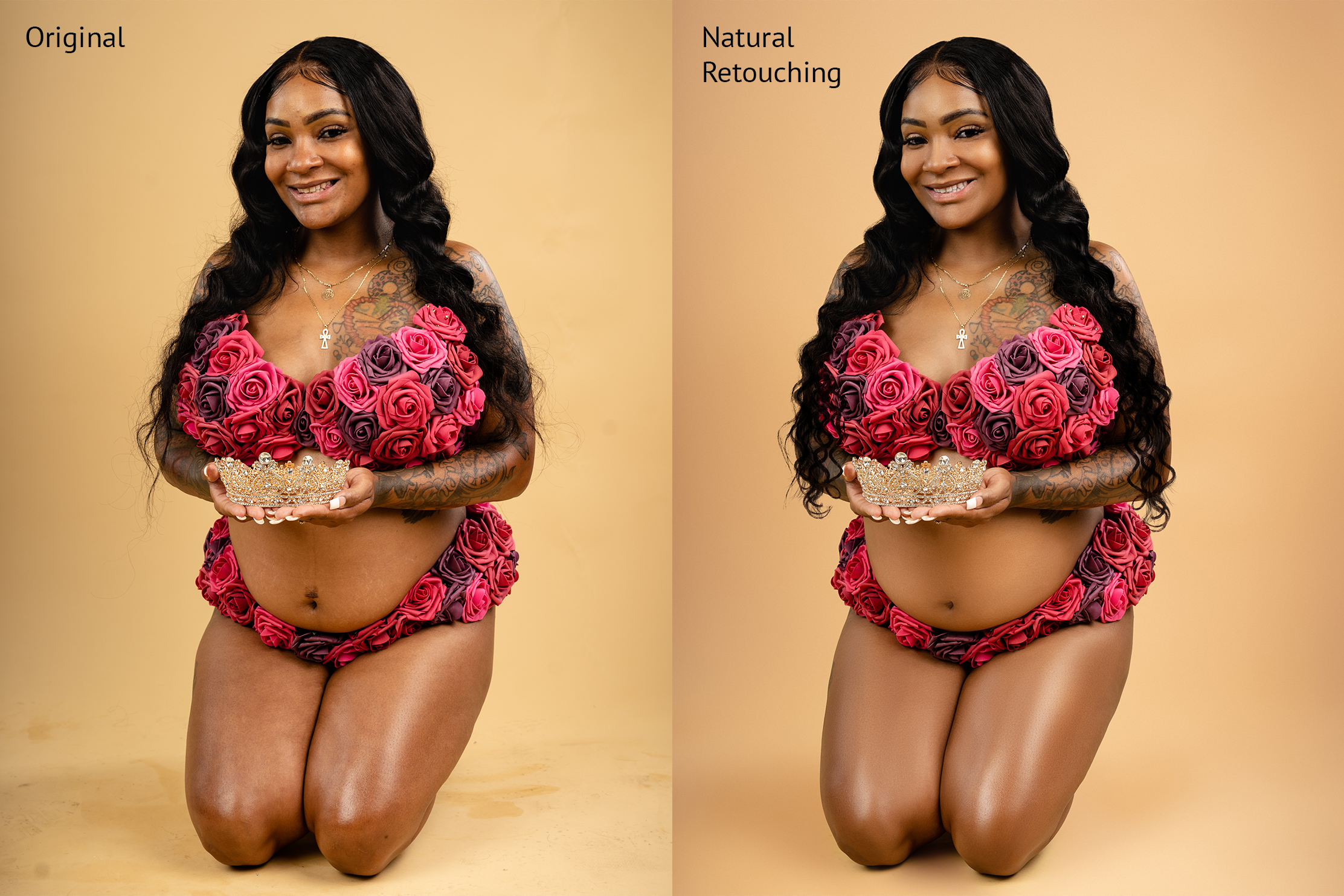
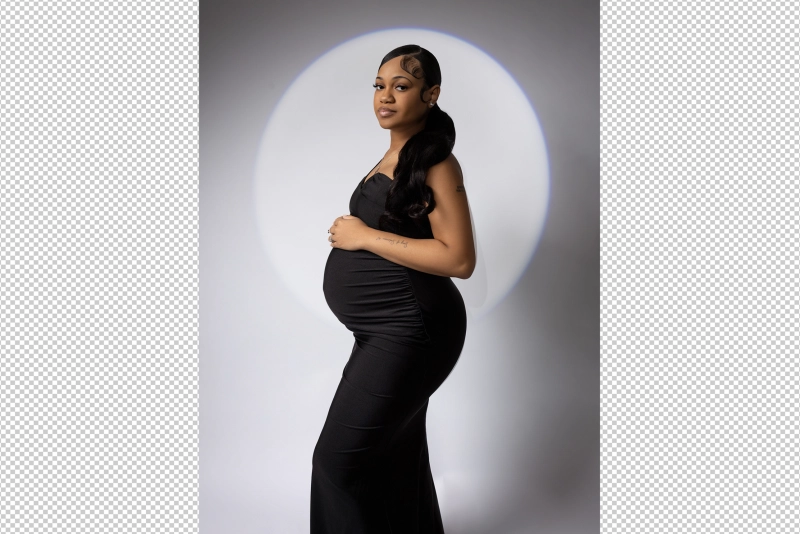
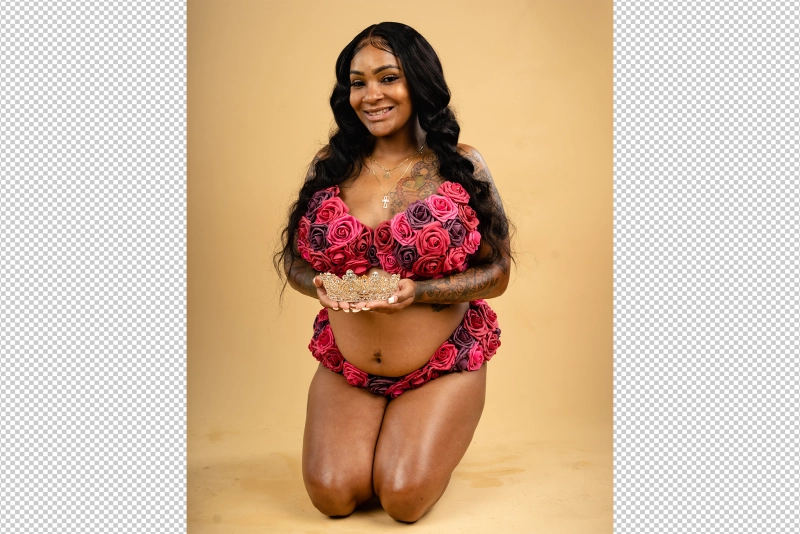
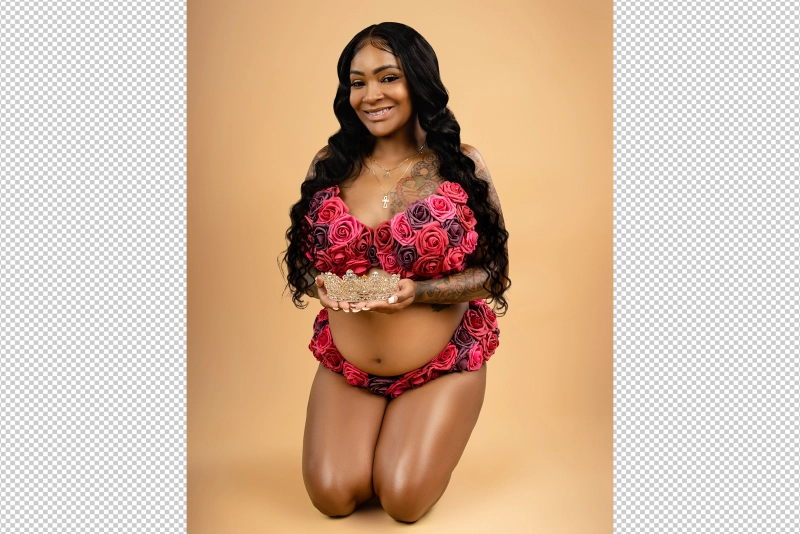
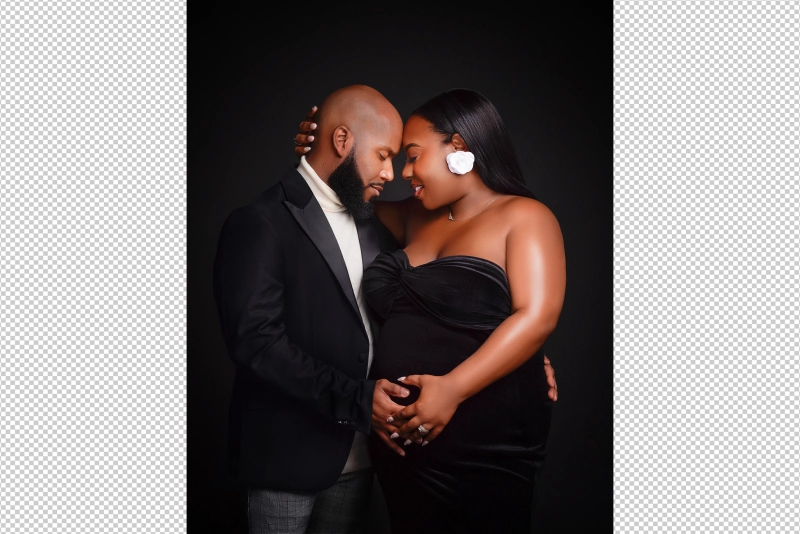
Natural retouching: skin tone balanced, blemishes softened, background cleaned — the person is unchanged.
Notice what's the same: the tattoos, the body shape, the natural finish of her skin. What changed is the tone consistency and the background — that's the invisible work.
Here's what we cover in a standard natural maternity edit:
- Skin tone and texture — reducing redness, softening blotchiness, cleaning temporary blemishes, balancing uneven tone. Real skin has pores and warmth. When texture disappears, the portrait loses life. Soft does not mean smudged.
- Baby bump refinement — smoothing dress lines, reducing distracting shadows, cleaning fabric wrinkles, gentle contour enhancement. The bump is the star — it shouldn't be treated like a product photo.
- Dress and gown cleanup — wrinkles, fabric pulls, lint, seams, visible clips, bra lines. A gown can be gorgeous in motion and chaotic in a still frame. Dress retouching often takes an image from almost finished to gallery-ready.
- Color correction and background — making skin look healthy and consistent across the full gallery. Poor color makes skin look too orange, too grey, or too flat. Background cleanup keeps attention on the mother and the moment.
Should You Remove Stretch Marks in Maternity Photos?
Here's the catch — this is both a technical and personal question.
Some mothers want stretch marks preserved because they're part of the story. Others prefer them softened, especially for fine art portraits or wall art. The safest approach is not to assume.
In our workflow, stretch marks are lightly softened and blended with surrounding skin tone — visible enough to remain realistic. Full removal is reserved for specific client requests or high-end editorial work.
Don't let this trip you up: decide nothing without knowing the client's preference. Ask before you edit. It takes ten seconds and avoids a conversation no one wants to have after delivery.
Before and After: What Professional Maternity Retouching Really Changes
We look at every gallery we return and ask the same question: does this still feel like her? A strong before and after should never feel like two different people.
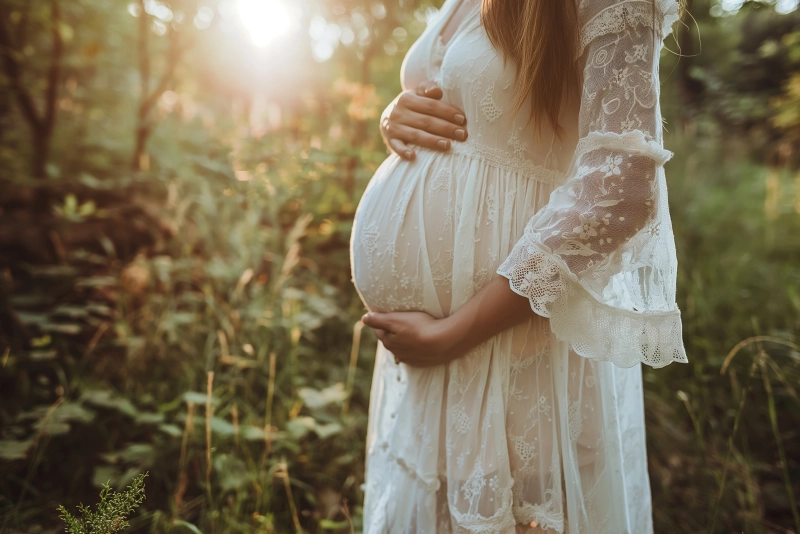
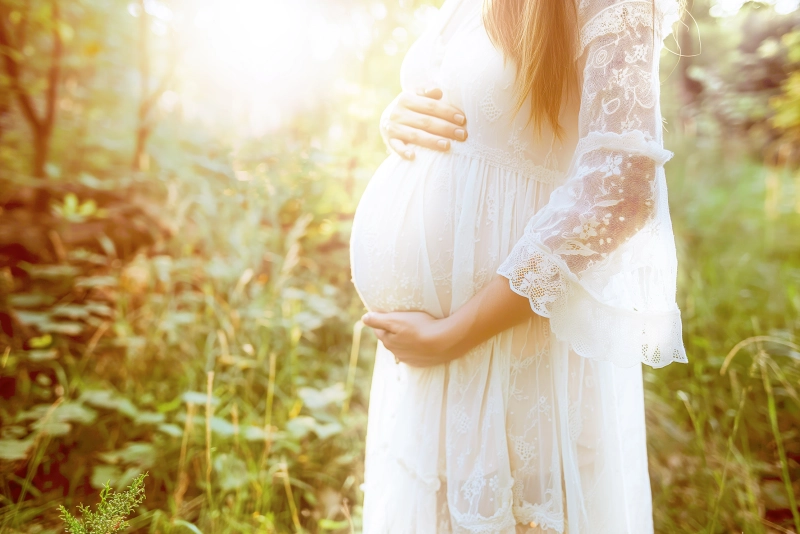
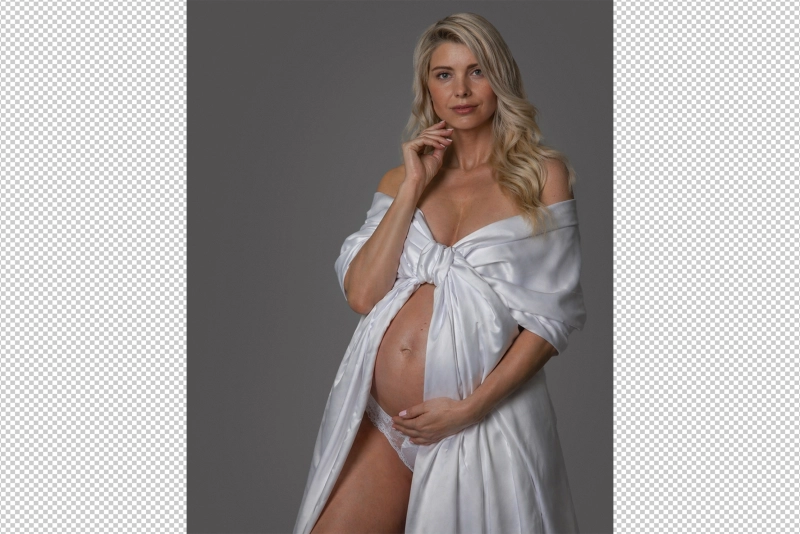
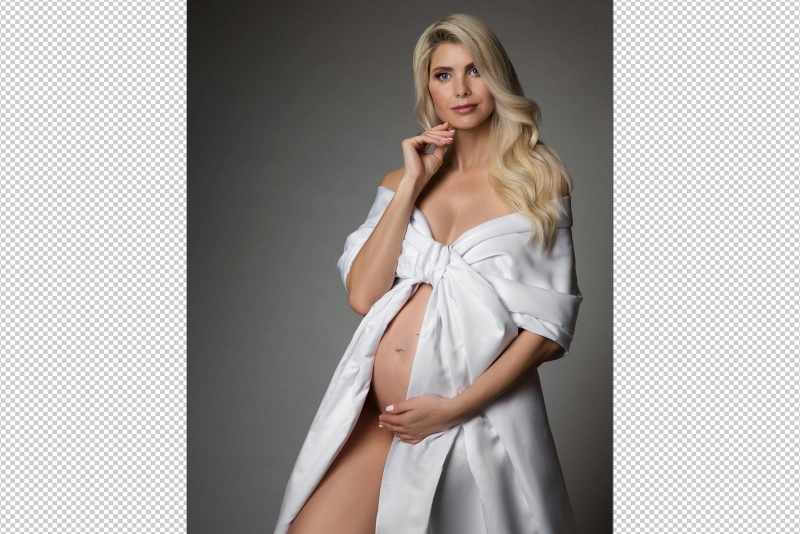
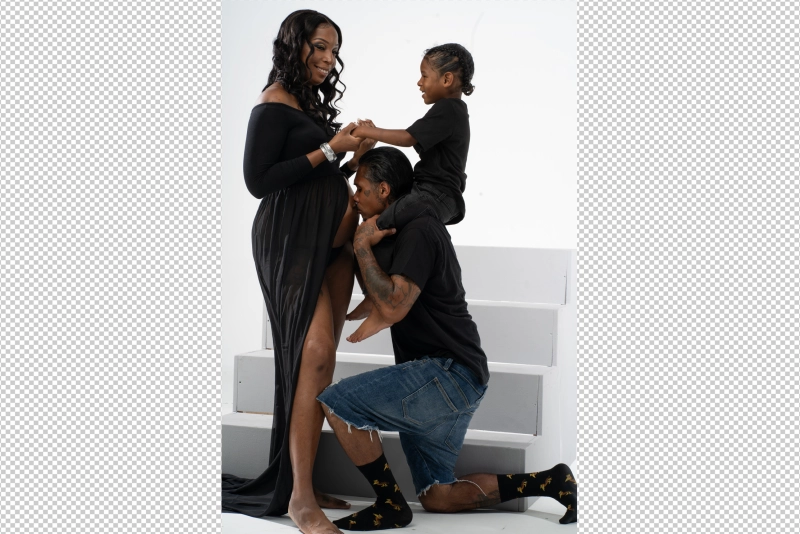
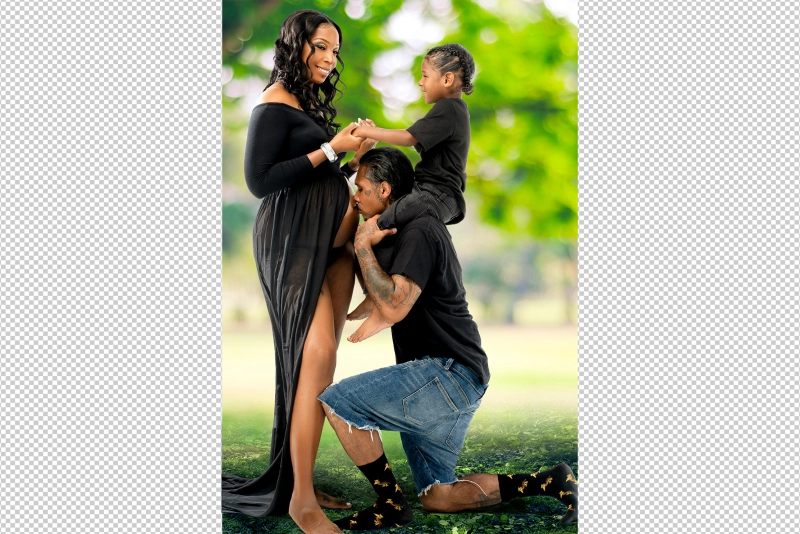
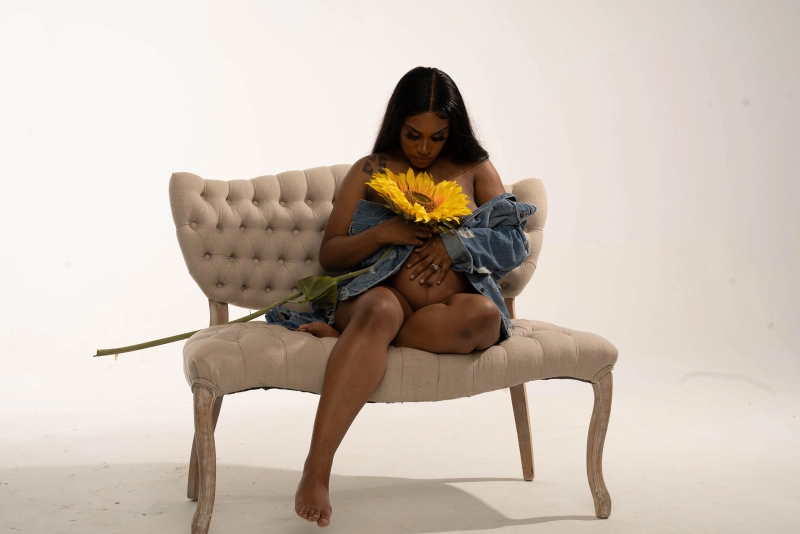
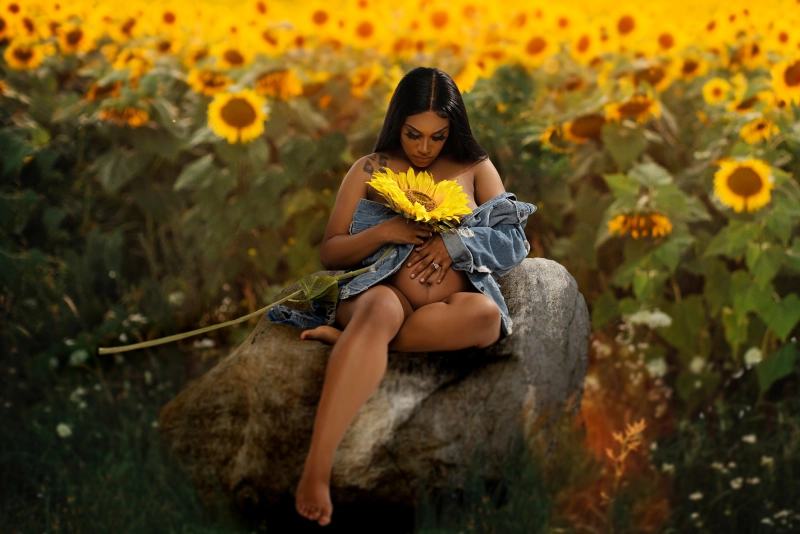
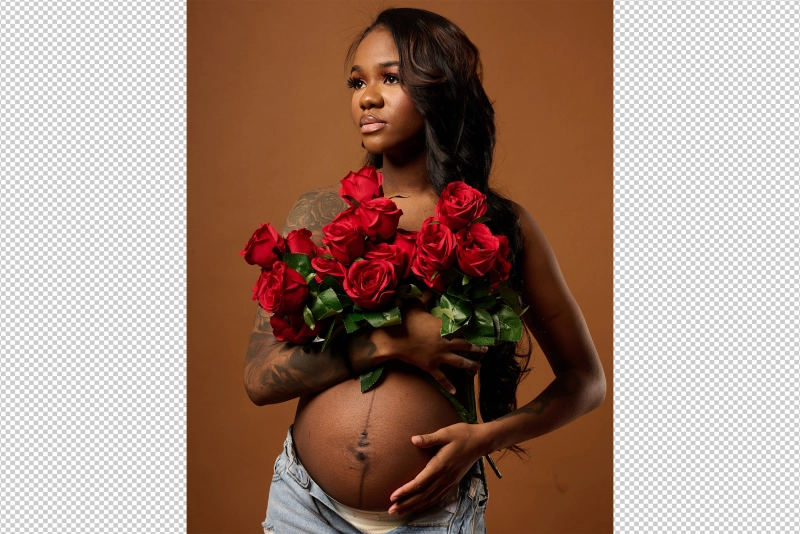
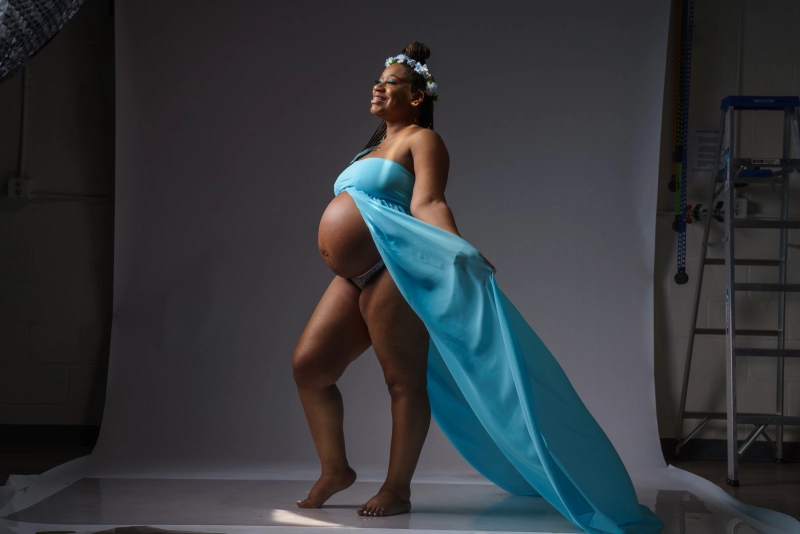
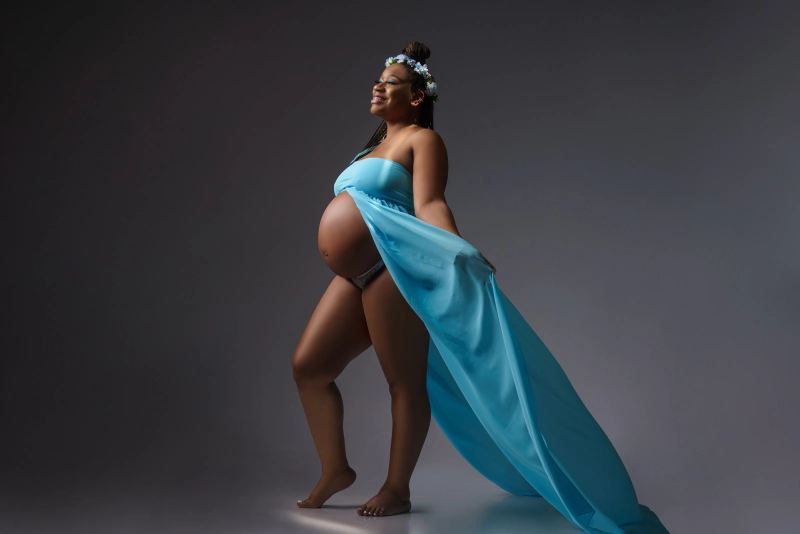
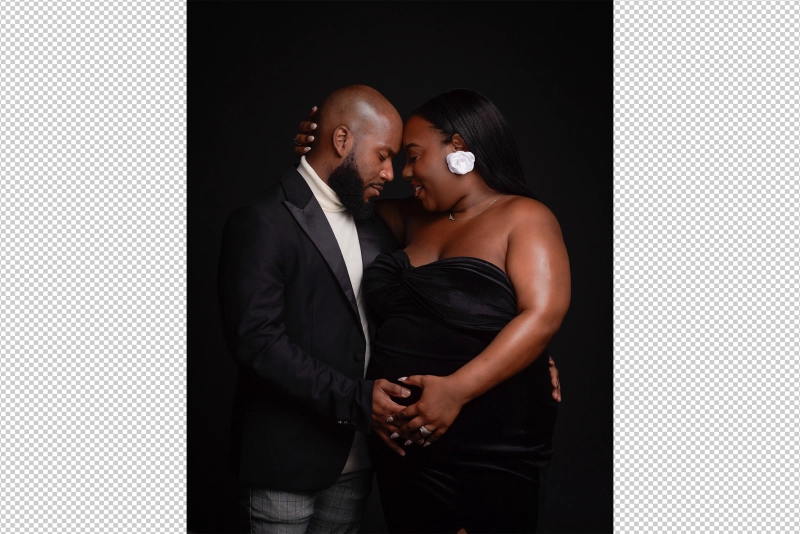
Scroll through our before and after examples below. As you swipe, look at three things specifically: the skin — does it still look like real skin, or has texture disappeared? The dress — do the lines flow naturally, or have wrinkles been over-smoothed into something that looks ironed flat? And the background — does it feel intentional, or has it been scrubbed so clean it looks artificial?
The best transformations are subtle at first glance. Only side by side does it become clear how many small distractions were quietly removed — and how much was deliberately left alone.
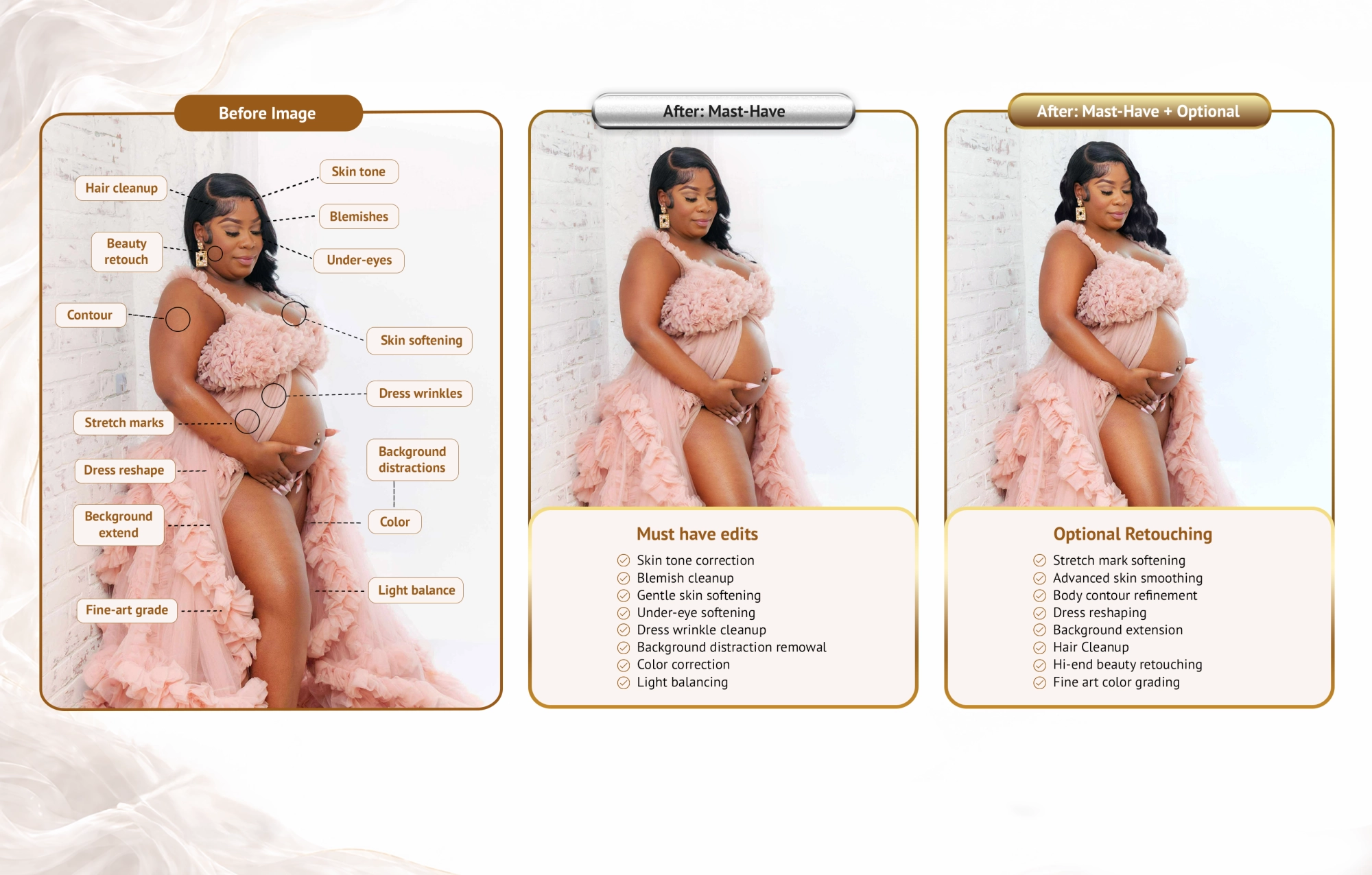
Not sure which level your session needs? The breakdown above covers the full range — from essential finishing to optional polish.
Must-have edits are the quiet corrections that make an image feel professionally finished without calling attention to the editing — skin tone correction, blemish cleanup, gentle skin softening, under-eye softening, dress wrinkle cleanup, background distraction removal, color correction, and light balancing.
Optional retouching is style-driven and depends on the photographer's aesthetic, client preferences, or how the final image will be used — stretch mark softening, advanced skin work, body contour refinement, dress reshaping, background extension, hair cleanup, and fine art color grading.
Natural vs High-End: Which Level Does Your Session Need?
Natural maternity retouching is best for full galleries, lifestyle sessions, outdoor portraits, and photographers who want clean images without an overly edited look. It covers skin cleanup, natural skin smoothing, color consistency, light dress cleanup, and a soft realistic finish.
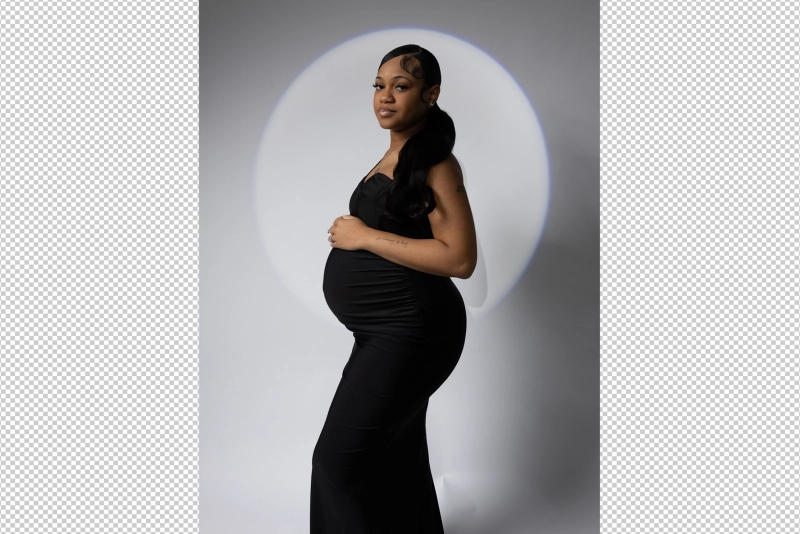
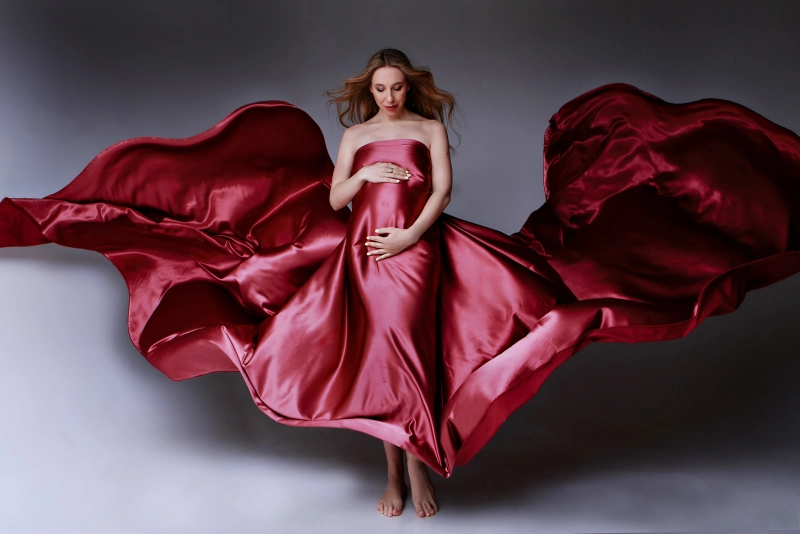
High-end maternity retouching is for signature portraits, studio images, fine art maternity, wall art, and hero images. It goes further — advanced skin work, detailed tone blending, stretch mark softening on request, fabric compositing, light shaping, and a polished editorial finish. The purple dress portrait below is one of our high-end projects and here's what we added, and why it needed that level of finish.
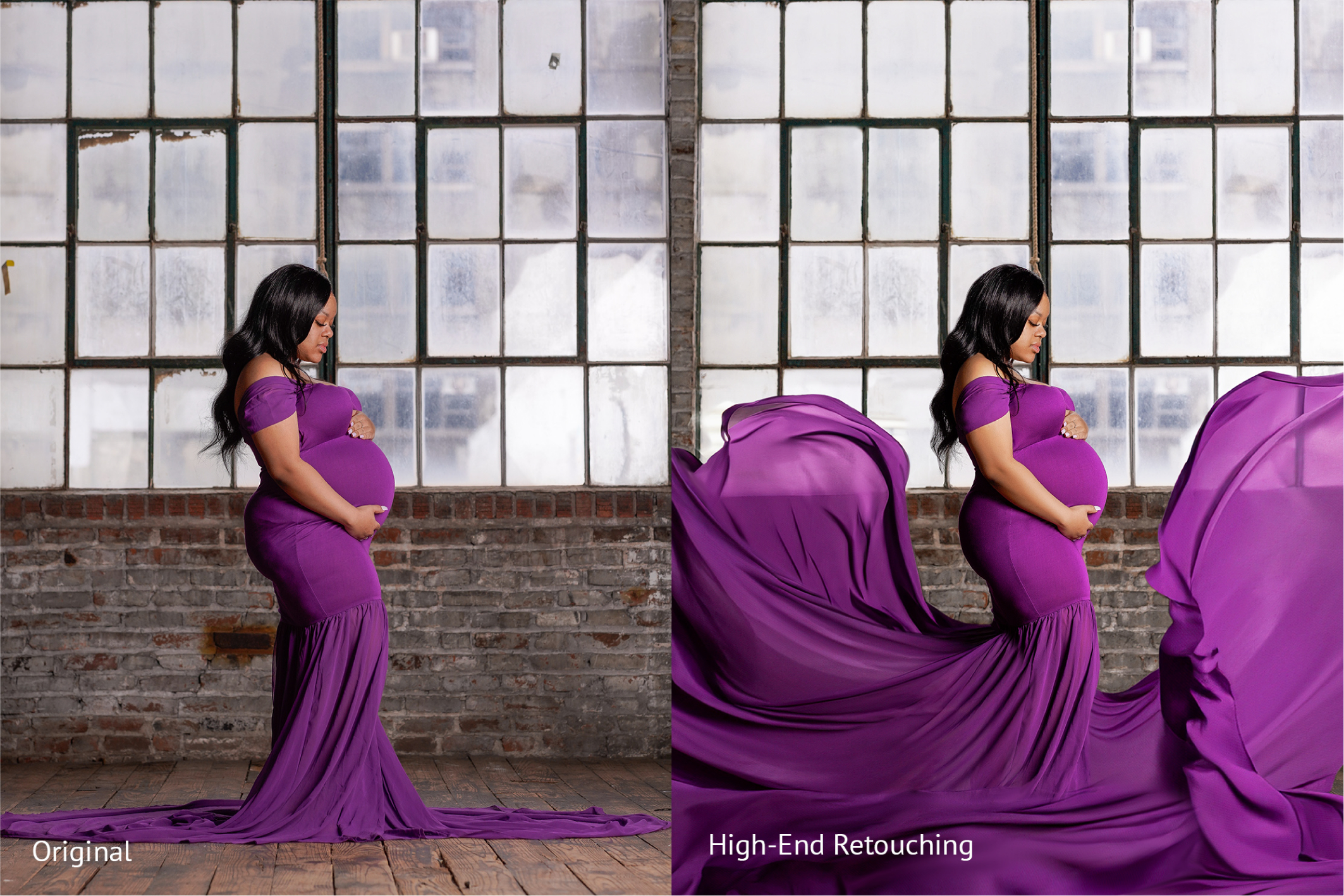
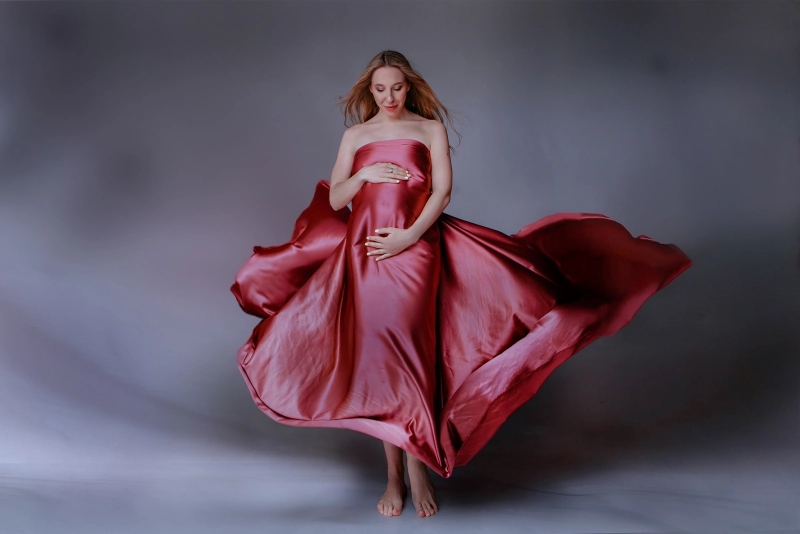
High-end retouching: the original purple dress portrait gains a flowing fabric composite, refined light shaping, and an editorial finish suited to wall art or fine art albums.
Look at how the added fabric changes the whole energy of the image. The original was a well-shot portrait. The retouched version is a wall piece.
Good news: we don't ask you to choose one level for the whole gallery. Hero images often go high-end while the rest of the set gets natural finishing — a smart split we recommend regularly, and one that keeps costs down while quality stays high where it matters most.
Maternity Photo Editing Services for Photographers
A maternity gallery can quietly swallow an evening. A little skin cleanup here, a dress wrinkle there, one distracting background mark, then another — and suddenly one "quick" gallery has taken three hours.
For photographers with a growing client load, outsourcing maternity photo editing isn't about handing over creative control. It's about protecting your time, keeping delivery on schedule, and getting consistent results without the bottleneck.
At BeautyRetouching.net, we handle maternity retouching at both natural and high-end levels — skin, dress, color, background, and fine art finishing — all matched to your style. Send us one image from your next session. We'll show you what we'd do with it — no commitment, no generic before-and-after. Just your photo, your style, and what a clean professional finish actually looks like.
FAQ: Maternity Photo Retouching
-
How much retouching is too much for maternity photos?When skin texture disappears, the face looks waxy, or the body shape becomes unrealistic. A good maternity retouch should be invisible — the viewer notices the beauty of the portrait, not the editing.
-
Should stretch marks be removed in maternity photos?Not automatically — and it's never a decision we make without asking first. Some clients want them softened, others want them preserved. In our workflow, light softening is the default for natural sessions. Full removal is reserved for specific client requests or fine art high-end work.
-
What does natural maternity retouching include?In our studio, a standard natural maternity edit covers: skin tone correction, blemish cleanup, gentle skin softening, under-eye softening, dress wrinkle cleanup, background distraction removal, color correction, and light balancing. The goal is a polished but believable finish — and nothing that makes the client look like a different person.
-
How much does maternity photo retouching cost?It depends on the level of finish and the size of the gallery. Natural maternity retouching is priced per image and covers the full standard edit. High-end retouching — which includes advanced skin work, fabric compositing, and fine art grading — is priced separately. Send us a sample image and we'll give you an exact quote for your session.
-
How is high-end maternity retouching different from natural retouching?High-end retouching goes further — advanced skin work, stretch mark softening, body contour refinement, fabric compositing, detailed hair cleanup, light shaping, and fine art color grading. It's best for hero images, wall art, and fine art studio portraits.
-
Can I outsource maternity photo editing and keep my style?At BeautyRetouching.net we work from your before-and-after examples from day one. We match your color grading, your skin tone preferences, your finish — the gallery comes back looking like your work, just cleaner and faster to deliver.
You may also want to read: Newborn skin retouching — what to fix in-house and what to outsource